Put the numbers to work
Calculate blowdown, cycles of concentration, RO recovery, and membrane flux without rebuilding the same spreadsheet.

For water-treatment operators and engineers
Review alarms, interpret lab results, and run treatment calculations with your site in view. Flow puts the readings and an AI advisor in one workspace.
Opens the real app with sample data. No signup needed.
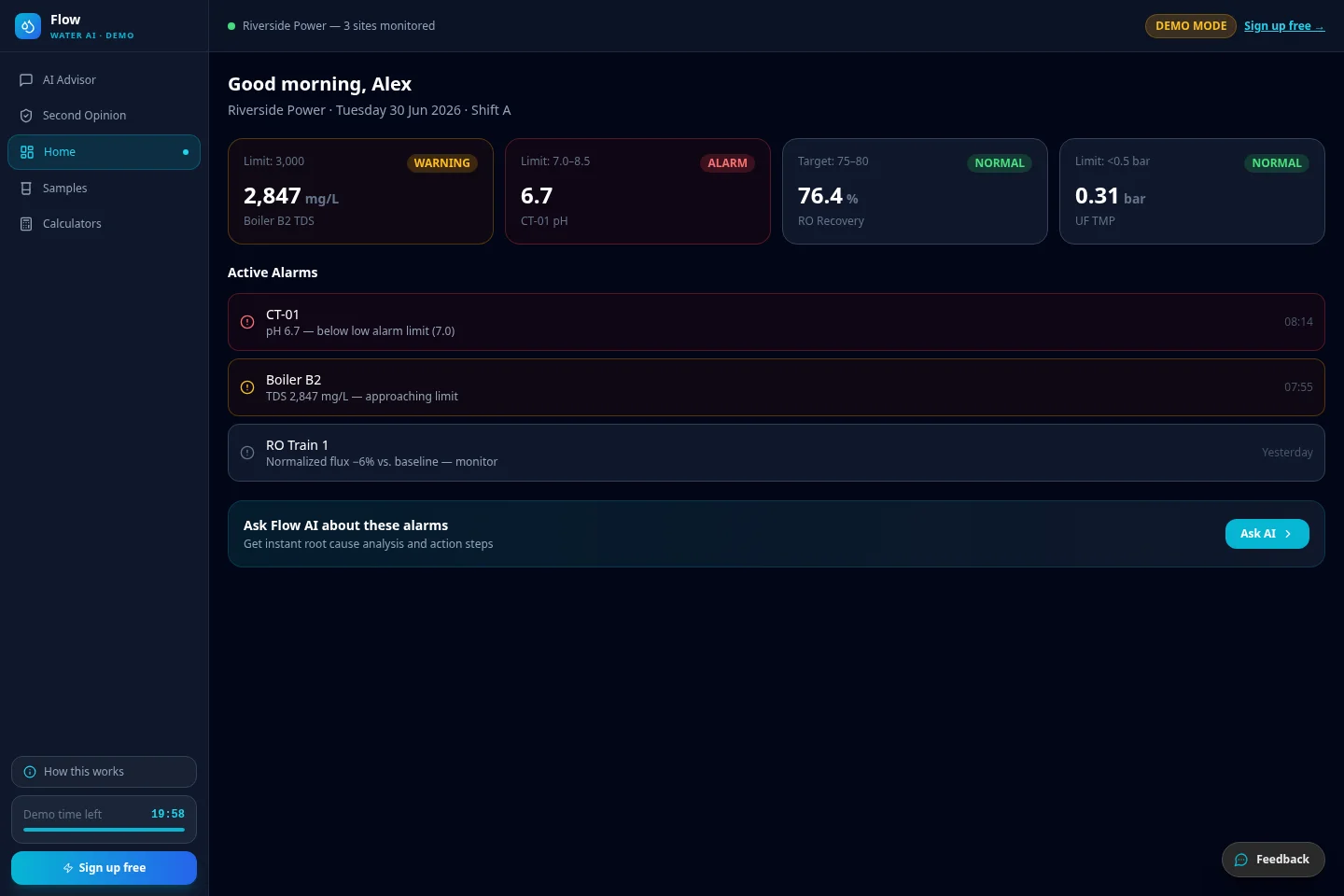
For water-treatment operators and engineers
Real app screens with sample data. No signup needed to explore.
Try the live demoThe Flow demo opens a sample water program with boiler, cooling, RO, and UF readings, operating limits, and active alarms.
One workspace. Your whole water program.
Calculate blowdown, cycles of concentration, RO recovery, and membrane flux without rebuilding the same spreadsheet.
Record samples, follow parameter trends, and review changes alongside the limits and context for your site.
Draft shift handoffs, escalation notes, KPI reports, and operating handbooks. Review the output before sharing it.
A second set of questions
Bring the vendor’s proposal and your operating data into the same review. Flow’s Second Opinion helps you examine the rationale and prepare informed questions before changing your program.
Explore the Flow demoFrom first question to next action
Log a sample or upload the lab report. Add system details and the limits your team uses.
Ask the advisor, run calculations, and compare the sample with your recent history.
Verify the findings with your team, then prepare a report or shift note with the context intact.
Software and practical support
Luxor also offers water-treatment services alongside Flow. Talk to us about the systems, operating questions, and support your team needs.
Explore water-treatment servicesA few useful answers
Explore the AI advisor and example water-treatment data in Flow’s demo. For your own site, book a walkthrough to discuss setup, access, and pricing.
Boilers, cooling towers, reverse osmosis, ultrafiltration, and raw water. Calculators include boiler blowdown, cycles of concentration, RO recovery, and membrane flux. We’ll review the tools that fit your equipment.
A site profile gives the advisor context about your systems and operating limits. You can bring readings, lab reports, documents, and photos into a review. Confirm the relevant limits before relying on any output.
Your qualified team does. Calculations and AI guidance need verification against site procedures and equipment requirements. Flow does not control equipment or authorize treatment changes.
For your team
Bring your questions and the workflow you use today. We’ll walk through the product, configuration, and pricing together.
Book a Flow walkthroughChoose a preferred time. We’ll confirm by email.